If a member does not show up to their scheduled appointment, wait 5 minutes before leaving the call.
During this time, check to see if the user was recently online or active in the app - this could suggest that they are having problems getting in or are unclear on how to join.

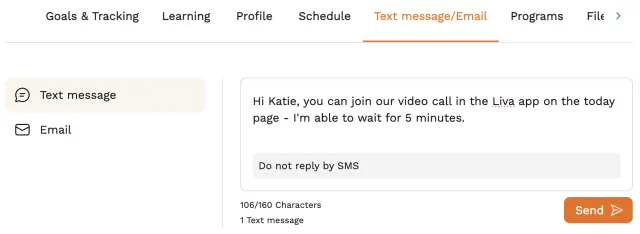
If you see that the user has been online and think they may be having trouble accessing the call, you can send an SMS to them from the platform to let them know how to join.
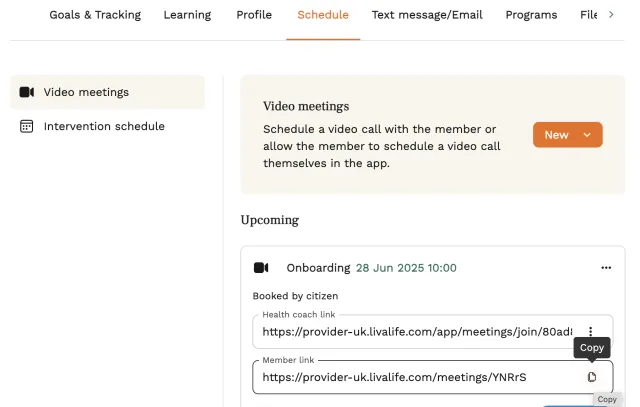
You can also send an email or SMS with the video call link so they can try to join from their browser on a laptop. If doing this, be sure to choose the ‘member link’ to send.
If 5 minutes have elapsed, and you’ve tried the above, then end the call.
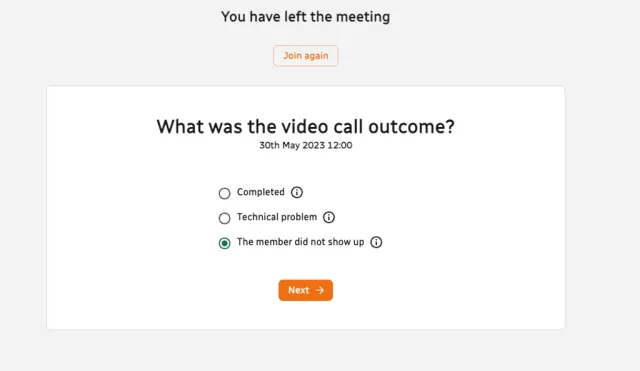
Mark the call “The member did not show up” and click next.
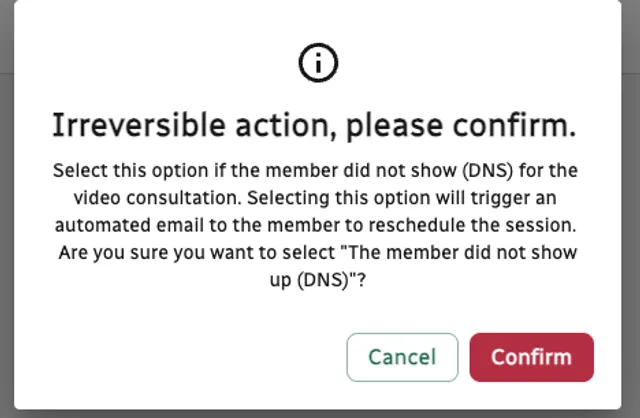
Confirm that this is the action you want to take and click confirm. This will trigger an automated email to the member asking them to reschedule the appointment. A new booking prompt will appear in the app. For most programmes, members are allowed 2 DNS before being discharged from the programme.
Confirming the action will add a DNS admin time of 15 minutes to your worklog automatically.